Sync, protection & sharing
Sync & devices
How notes reach your other devices: Auto or Manual sync, Save now, offline use, conflict copies and the devices list.
Sidekick Note is local-first: every change is saved on your device at once, then sent to the cloud — encrypted — so your other devices get it. It works offline and costs little to run, which keeps the Free plan free.
Auto or Manual
Settings → Sync picks the mode for this device:
| Mode | When your changes reach the cloud |
|---|---|
| Auto (default) | About a minute after you stop typing (at most every few minutes while you keep typing), when you leave the tab, on Lock and Sign out, and on Save now. Changes from other devices arrive live or when you come back to the tab. |
| Manual | Only when you press Save now. Opening the app fetches once. Lowest cloud use; other devices see your changes only after Save now. A reminder appears if changes wait on this device for a long time. |
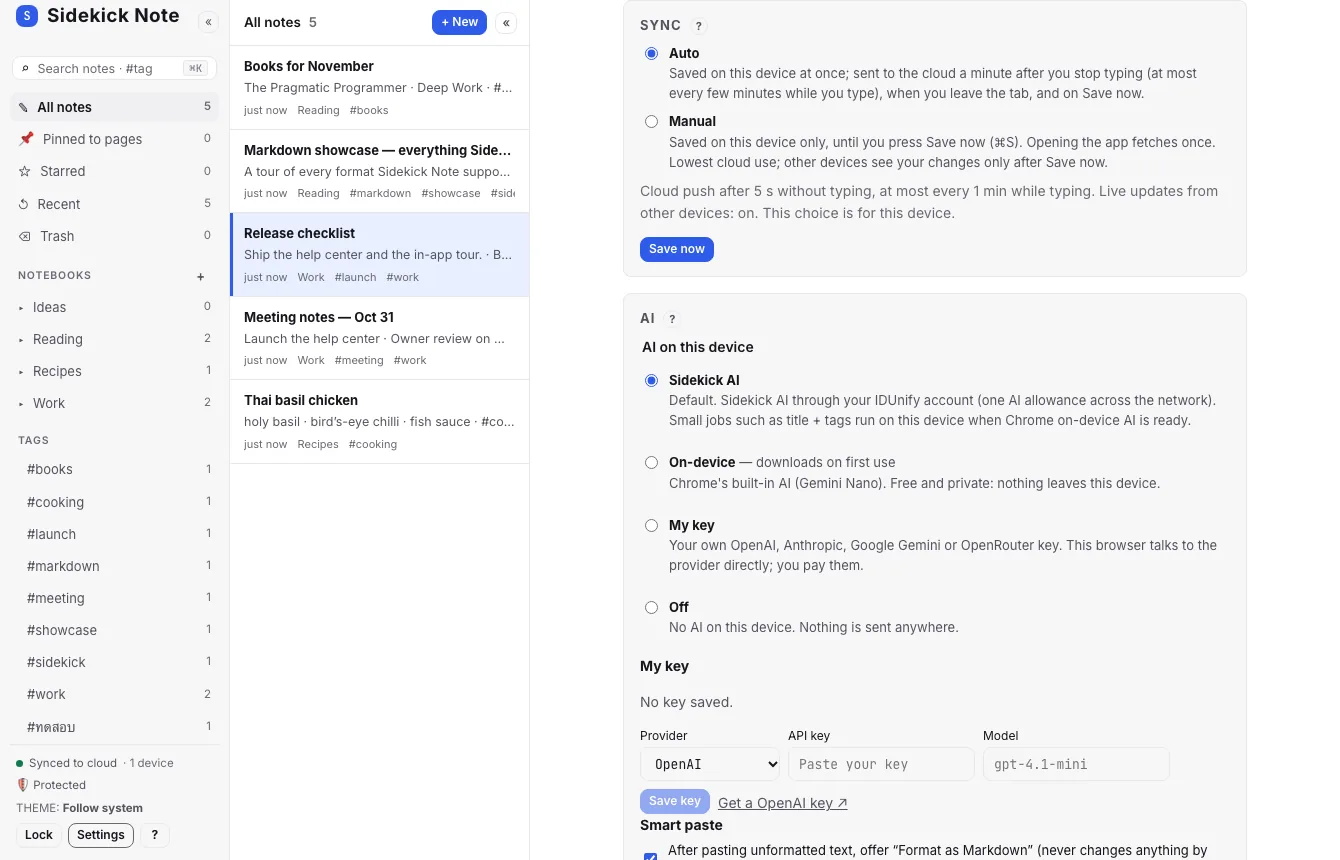
Your plan decides which modes are offered; a mode your plan does not include is greyed out.
Save now
Save now at the right end of the Status bar (or ⌘SCtrlS) sends every waiting change to the cloud right away — use it before you switch computers. The Status bar and the Status block in the Sidebar tell you where things are:
- Saved — on this device. Synced to cloud — on the server too.
- N notes not in cloud — Save now — waiting (Manual mode, or offline).
Offline
Once the app has loaded on a device, it keeps working without a connection: open, write, search. Changes wait on the device and go up when you are back online. Images wait too.
Conflict copies
If the same note was changed on two devices before they synced, nothing is lost: Sidekick Note keeps both and adds a “(conflict copy)” note with a conflict badge. Compare them, keep what you want, and delete the other.
Devices
The Status block shows how many devices use your account (Settings → Account too). Each browser you sign in with — the web app on a laptop, the Chrome extension — counts as one. Signing out of a device keeps its encrypted copy on that device until you sign in again; anyone using that browser profile cannot read it without signing in.
Was this helpful?
Thanks! We keep no record of your answer — if something was missing, tell us below.
Something missing or wrong? Write to support@plaazaa.com.