Private Markdown notes · AI only when you ask
Plain Markdown in.
Smart cards out.
Write a recipe, a trade or a packing list as plain text. Sidekick Note turns it into a card you can use: scale the servings, tick the boxes, read the P&L on a chart. The note stays Markdown, readable anywhere, and private by default.
Free during the beta · Web app + Chrome side panel · Cards in 7 languages
```trade symbol=ACME side=long qty=200 data=sample | Morning breakout
date: 2026-10-26
entry: 48.20 @ 10:02
stop: 47.60
target: 49.40
exit: 49.40 @ 10:47
fees: 2
tags: breakout
note: Waited for the retest, sold the lot at target.
```Charts on this page use made-up sample data and fictional tickers. Not real trades, not investment advice.
Cards from Markdown
A few lines of text. A card that works.
Five cards today: recipe, checklist, bill splitter, unit converter and chart. In any other Markdown app the block is still readable text.
```recipe servings=4 | Tom Kha Gai
## Soup
- 400 ml coconut milk
- 300 g chicken breast
- 2 stalks lemongrass
- 1 1/2 tbsp fish sauce

1. Simmer {400 ml} coconut milk with the lemongrass.
2. Add {300 g} chicken, cook {8 min}.
```- 400 ml coconut milk
- 300 g chicken breast
- 2 stalks lemongrass
- 1½ tbsp fish sauce
Try the stepper. Every amount follows, in the card only. The Markdown stays as you wrote it.
- passport
- charger
- sunscreen
- swim shorts
- adapter
| Pad thai | 120.00 |
| Tom yum | 180.00 |
| Drinks | 150.00 |
| Tax 7% + tip 10% | 76.50 |
| Each pays | 175.50 |
| 180 °C | = 356 °F |
| 5 km | = 3.11 mi |
| 2 lb | = 0.91 kg |
AI chat helper
Ask. Get a card. Insert it.
Ask about the note you are writing, or ask for something new. The answer can be a finished card, and one click puts it in the note. AI runs only when you ask, shows what it sends, and never touches a note you marked “never send to AI”.
Here is a mild version. Galangal gives the flavour, so the chilli is optional.

- Use Sidekick AI, your own key, or Chrome’s on-device AI, or turn AI off.
- You see what will be sent before it goes. “This note” is a chip you can remove.
- The answer comes in the language you write.
AI actions
Select text. Press ⌘J. Accept or reject.
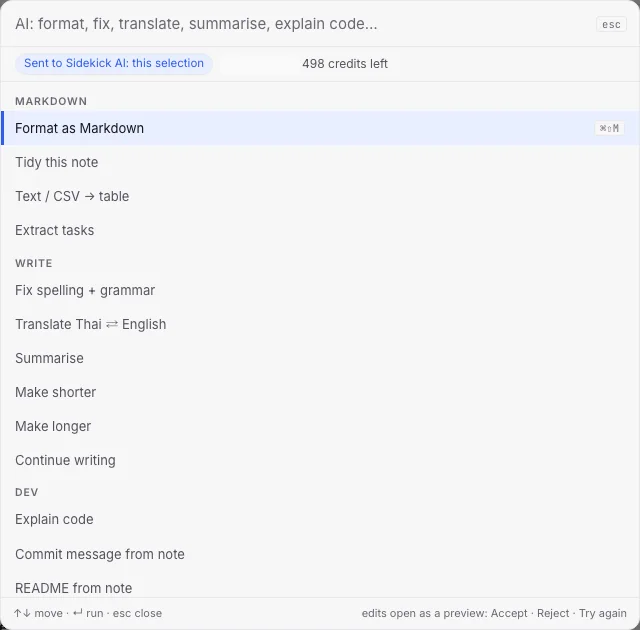
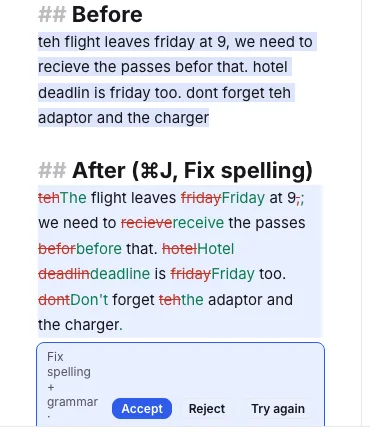
Press ⌘J (Ctrl+J on Windows) on a selection, or type / at the start of a line. Pick an action: tidy, translate, summarise, extract tasks, fix spelling, explain code, write a commit message. The result opens as a preview. Nothing changes until you say so.
- 24 actions
- Accept, Reject, Try again
- Works on a selection or the whole note
- Asks nothing until you press
Command palette
One box for everything. ⌘K.
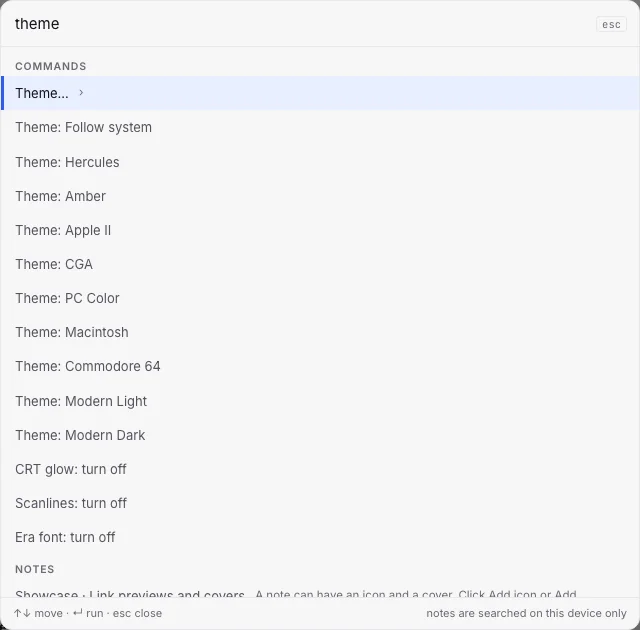
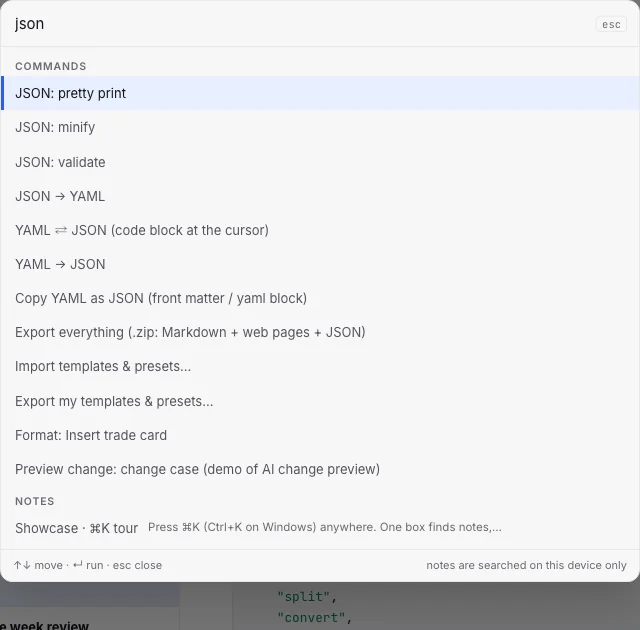
Press ⌘K (Ctrl+K on Windows) anywhere. One box finds notes, runs actions, changes the look and holds small tools: JSON pretty-print and minify, Base64, UUID, YAML ⇄ JSON, insert the time. Notes are searched on your device only.
Trade journal
Type the trade. Get the numbers and the chart.
Log a stock or crypto trade in plain lines, or tell the AI chat. The card shows P&L, R-multiple, hold time and a candlestick chart with your entry, stop, target and exit. Several trades in a day? One note, one card each, plus a week table of your own.
The stop was where I wrote it. The loss is what I planned to risk. Next.
| Trade | P&L | R |
|---|---|---|
| ACME long | −61.00 | −1.00 |
| ZETA long | +127.00 | +2.00 |
| BOLT long | +148.50 | +2.50 |
| NOVA short | +71.00 | +1.20 |
| KITE long | −1.50 | 0.00 |
| Day · 3 wins, 1 loss, 1 scratch | +284.00 | +4.70 |
= 9,230 THB at 32.50. Each trade above is its own card with its own chart.
A day-trader’s story, Bangkok
Day job by day. US session from the sofa.
The US market opens at 20:30 in Bangkok. After work, the trader writes each trade as it happens, on the phone or in the browser, in Thai. Sidekick reads the times in Bangkok time and draws the chart, and the week review shows the one mistake that cost the most. Notes stay private. Only the figures are shared, when she chooses.
Mon 26 Oct: followed the plan, closed the day up
5 trades · 3 wins · 1 loss · 1 scratch · 1 USD = 32.50 THB
- ✓ Check the broad market first
- ✓ Stop and target set before every entry
- ✓ Risk per trade no more than $100
| Total | +$284.00 | +9,230 THB |
| Total R | +4.7R |
Did not chase today. Waited for the pullback before every entry. Result: no loss bigger than planned.
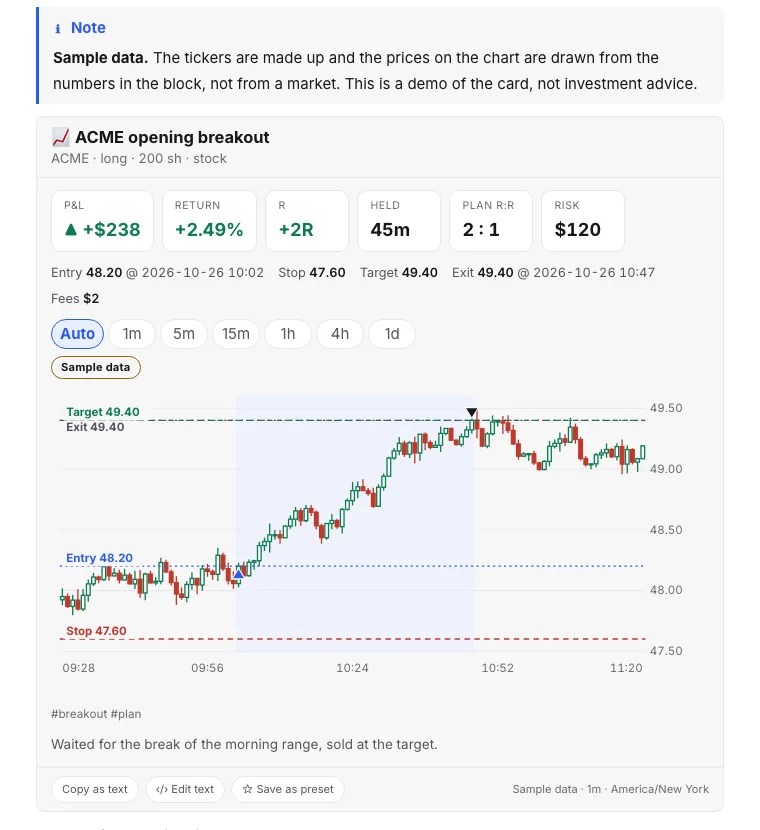
A trade card, in the app
- P&L, return, R, planned risk and hold time, worked out from your lines.
- A candlestick chart with entry, stop, target and exit marked, in the time zone you wrote.
- Sample data is drawn from the numbers in the block, not from a market, and labelled on the chart.
Sample data. Fictional tickers and made-up prices, for illustration only. Not real trades and not investment advice. Past results, real or sample, do not predict future results.
Templates and presets
Start from a good note, not a blank page.
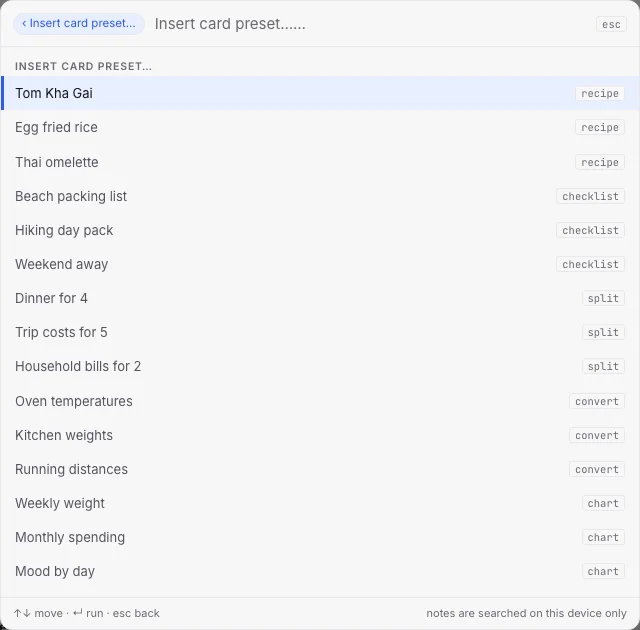
Press ⌘K and pick a template: daily note, meeting, bug report, README, trip plan, meal plan, weekly review, trade journal. Cards come pre-filled. Save any note or card as your own preset. Share a template as a link.
- Daily notedate, plan, checklist
- Meetingagenda, notes, actions
- Bug reportsteps, expected, actual
- READMEinstall, usage, licence
- Trip plandays + packing card + split card
- Meal planweek grid + recipe card
- Weekly reviewwins, lessons, next week
- Trade journaltrade card preset
Annotate image
Point at the thing. Right in the note.
Pen, highlighter, arrows, shapes, text, numbered badges, blur and crop. Done replaces the picture, Revert brings the original back, Save as copy keeps both. Images are encrypted too.
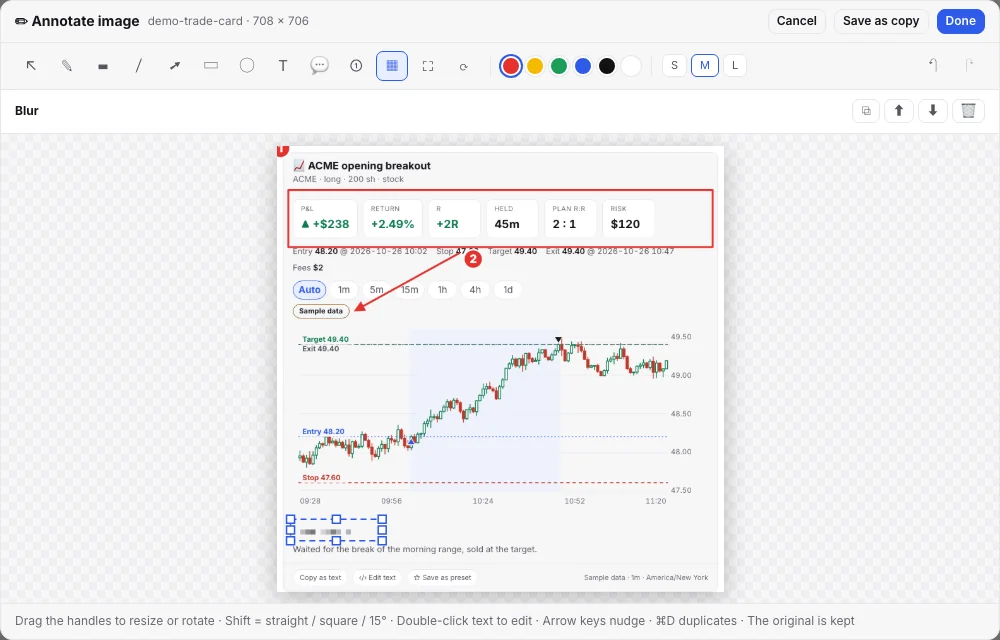
- Drag the handles to resize or rotate. Shift keeps lines straight and angles at 15°.
- Blur hides a name or a number before you share the picture.
- The original is kept, so Revert to original always works.
Sharing
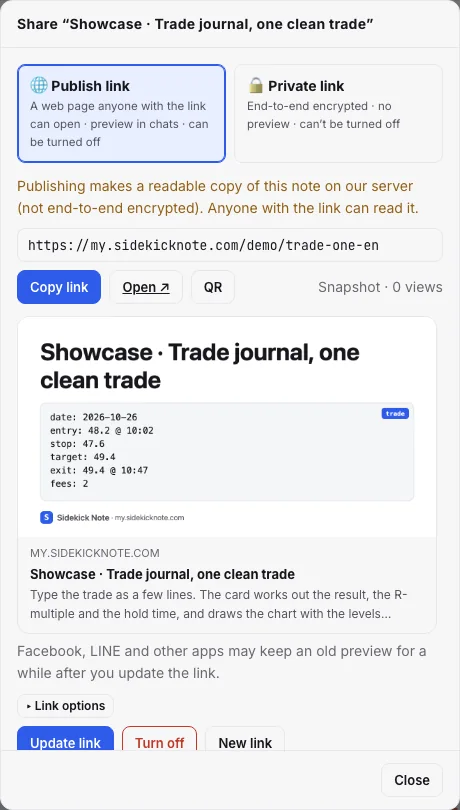
Two ways to share. You pick per note.
my.sidekicknote.com/demo/trade-day-en
- A web page with a link preview in chats
- Snapshot, or keep updated with the note
- Password, expiry, custom address, QR
- Search engines off by default
- Turn off any time, it stops at once
app.sidekicknote.com/x#key…
- End-to-end: the key lives after the #, and the server never sees it
- No preview, no copy on our side
- Cards work for the reader
Notes that use real market data publish as figures and text only. The chart stays in the app.
Encryption
Protected by default. Private when you need it.
Every note and image is encrypted on your device and stays encrypted in the cloud. The key is held in Google Cloud KMS and opened only for your signed-in account. No passphrase to remember.
A notebook with its own passphrase and recovery code. Nobody can read it without them, not even us. Lose both and it is gone, so we say so loudly.
- AI only when you ask
- Never send to AI, per note
- On-device AI or your own key
- Auto-lock after 30 min
Browser extension
Beside every page. Alt+S.
The Chrome side panel keeps notes next to the page they belong to, saves a selection with a link back, summarises a page when you ask, and has the same cards and AI chat. Chrome extension: private beta.

Markdown
Markdown, done properly.
CommonMark and GitHub tables, task lists and footnotes, callouts, math, diagrams and code highlighting for about 190 languages. Write, Split or Read. Export .md, .html or .zip any time.
# Sync design
> [!TIP]
> Press ⌘J for AI actions.

| Mode   | Idle | Max   |
|:-------|:----:|------:|
| Auto   | 60 s | 5 min |
| Manual | —    | —    |

```ts
await save(note, key);
```
Euler: $e^{i\pi} + 1 = 0$Sync design
Press ⌘J for AI actions.
| Mode | Idle | Max |
|---|---|---|
| Auto | 60 s | 5 min |
| Manual | — | — |
await save(note, key);Euler: eiπ + 1 = 0
And also
The small things that add up.
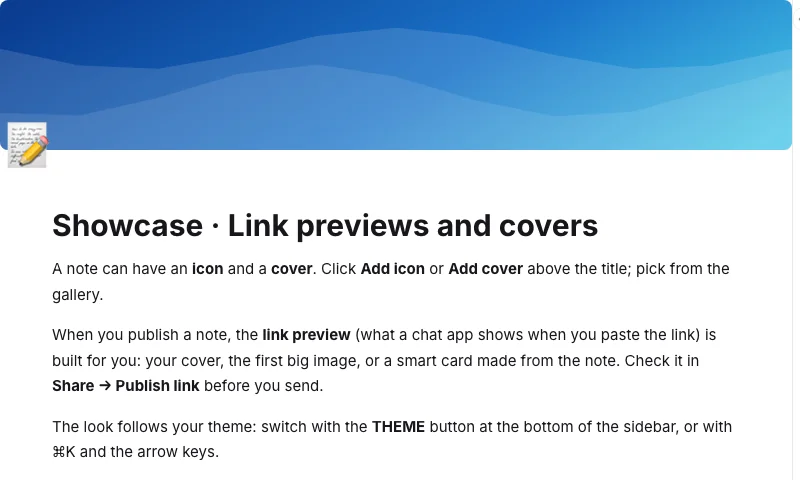
- Icon and coverGive a note an icon and one of 15 covers.
- Link previewsA published note shows a clean preview card in chats.
- 9 themesClean light and dark that follow your system, plus seven retro looks.
- ⌘K palette and toolsNotes, actions, themes and small tools in one box.
- Export.md, .html or .zip, any time. Your notes are yours.
- Sync and offlineWorks offline and syncs quietly in the background.
- Search on your deviceEven across thousands of notes, nothing leaves the device.
- ImportBring notes over from the earlier Sidekick extension.
Try it with a note of your own.
Free during the beta. No ads. Sign in with one IDUnify account.